Reference to Video: A Complete Guide to Creating Consistent AI Videos with Visual References
Explore how visual references can guide a new video, how to assign each input a role, and what to check in the result.
Create More Controllable AI Videos with Visual References
AI video generation has changed the way creators produce visual content. Instead of recording every scene manually, users can now generate cinematic videos from simple text prompts. However, text-only generation has an important limitation: control. A text prompt can describe what you want to create, but it cannot always guarantee that the generated video will match your exact vision. For example:
A character may look different between scenes.
A product may change shape or color.
A specific environment may not be recreated accurately.
The motion style may not match the original idea.
Reference to Video can help guide the result by allowing users to provide images and videos as visual guidance. Instead of asking AI to imagine everything from text, creators can give the model real visual references and let AI generate new videos while attempting to preserve important details. Results can vary. Creators may use references to guide the following goals; these are not guaranteed outcomes:
More consistent characters
More accurate products
More controlled environments
More stable visual styles
More predictable results
This makes AI video generation closer to a creative production workflow rather than random generation.
What Is Reference to Video?
Reference to Video is an AI video generation technology that uses uploaded images and videos as references to guide the video creation process. Unlike traditional text-to-video generation, where AI creates everything based only on a written prompt, Reference to Video allows users to provide additional visual information. The AI model analyzes the reference materials and understands important visual elements, such as: Character appearance Facial features Clothing details Object structure Scene layout Lighting style Movement patterns Then, the model combines these references with your text instructions to generate a new video. A simple way to understand it: Text tells AI what should happen. References tell AI what things should look like. For example:
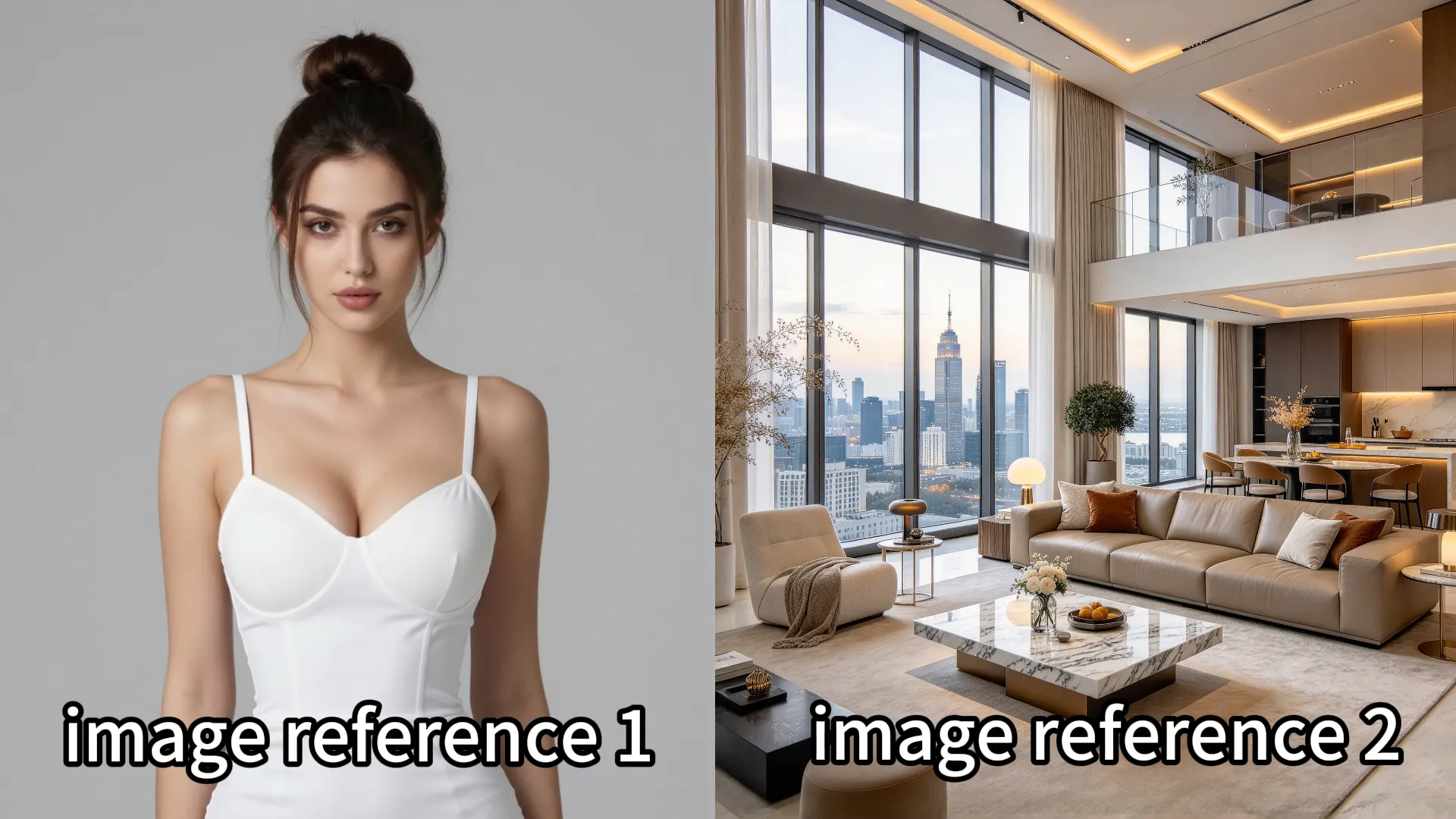
Reference images:
A female character images A luxury apartment interior
Prompt:
"She walks toward the window, looks outside, and slowly turns back to the camera." The AI can generate a video where the character and environment remain consistent with the provided references.
How Does Reference to Video Work?
Reference to Video combines visual understanding and video generation technologies to create more controllable results. The workflow usually includes three main stages:
1. Reference Analysis: Understanding Your Visual Inputs
The first step is understanding the uploaded reference materials. When you upload images or videos, the AI analyzes visual information including:
Character Identity
The model identifies important identity features:
Face structure
Hair style
Body appearance
Clothing
Unique visual characteristics
This helps maintain the same character during video generation. For example, if you upload several images of the same person from different angles, the model can better understand that these images represent one consistent identity.
Object and Product Understanding
Reference images can also guide objects and products. The AI can understand:
Product shape
Brand design elements
Material appearance
Color details
This is especially useful for:
Product advertisements
E-commerce videos
Brand campaigns
Instead of generating a random product, the AI uses your reference as the visual source.
Scene and Style Understanding
References can define the overall visual direction:
Location
Architecture
Lighting
Color atmosphere
Cinematic style
For example, a reference image of a modern office can guide the AI to create videos with the same environment style.
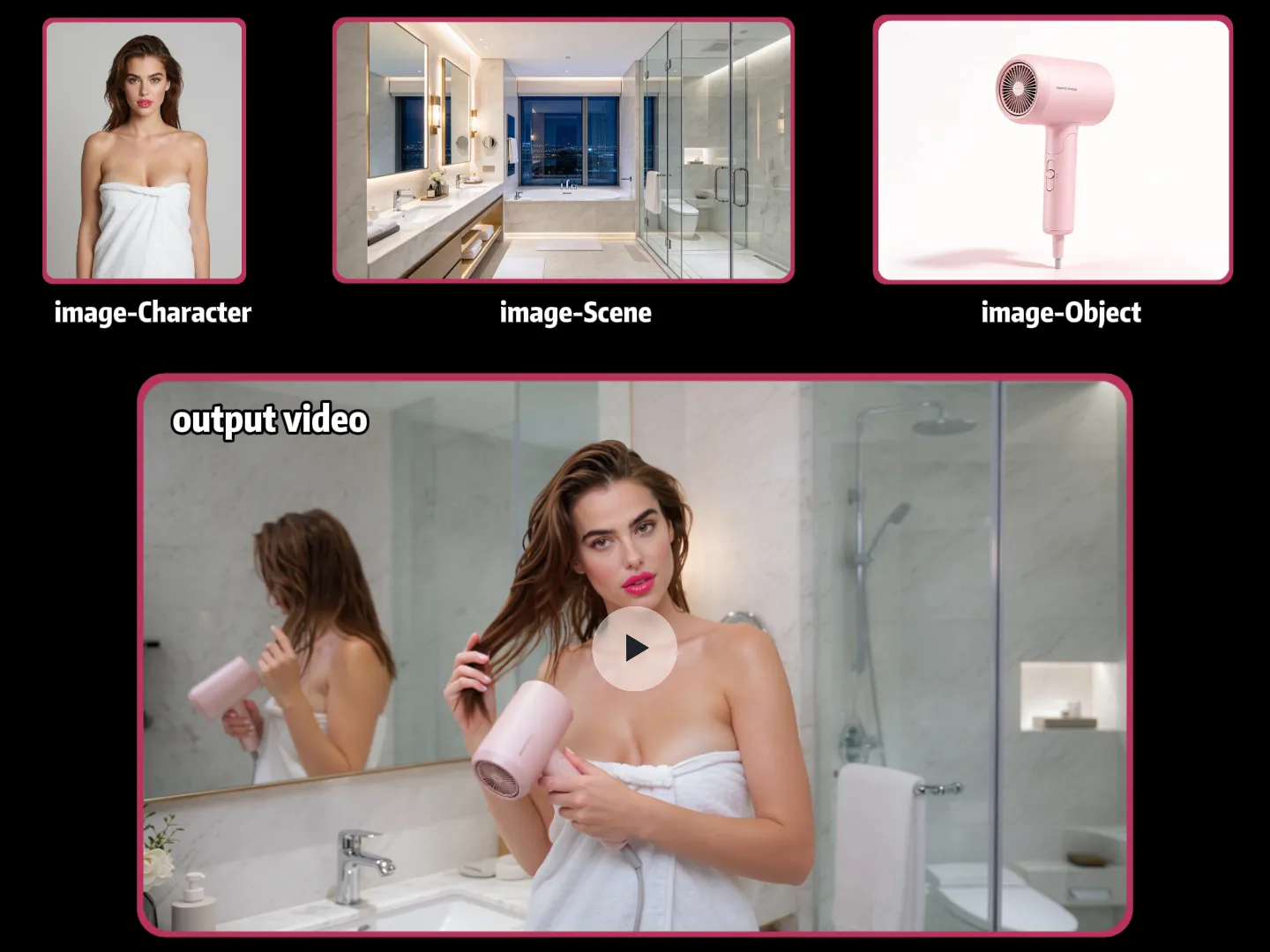
2. Reference Fusion: Combining Visual Guidance with Prompts
After understanding the references, the AI combines different types of information:
Visual references+Text instruction +Motion description + Camera direction =Generated video
This combination gives creators more control over the final result. For example: Reference:A fashion model wearing a black dress. Prompt:"Create a cinematic fashion video where the model walks through a luxury hotel hallway. The camera slowly follows her movement." The AI understands:
Who the person is
What she is wearing
What environment to create
How the movement should happen
3. Video Generation: Creating New Scenes with Consistency
The final stage is generating the video. During generation, the AI creates:
Character movements
Camera motion
Environmental changes
Lighting effects
Scene transitions
At the same time, it attempts to preserve the key elements from the references.This is what makes Reference to Video different from traditional AI video generation. The goal is not just creating a beautiful video.The goal is creating a video that follows your creative direction.
Reference to Video vs Text-to-Video vs Image-to-Video
Understanding the difference between these AI video generation methods can help you choose the right workflow.
| Technology | Input | Best For | Main Limitation |
|---|---|---|---|
| Text-to-Video | Text prompt | Creating new ideas quickly | Less control over details |
| Image-to-Video | One image + prompt | Animating existing images | Limited information from one image |
| Reference to Video | Multiple images/videos + prompt | Controlled and consistent video creation | Requires better reference preparation |
Text-to-Video
Text-to-video creates videos from descriptions. Example: "A woman walking through a futuristic city at sunset."
The AI generates the entire scene. This is useful for:
Exploring ideas
Creating concept videos
Quick experiments
However, the creator has limited control over exact details.
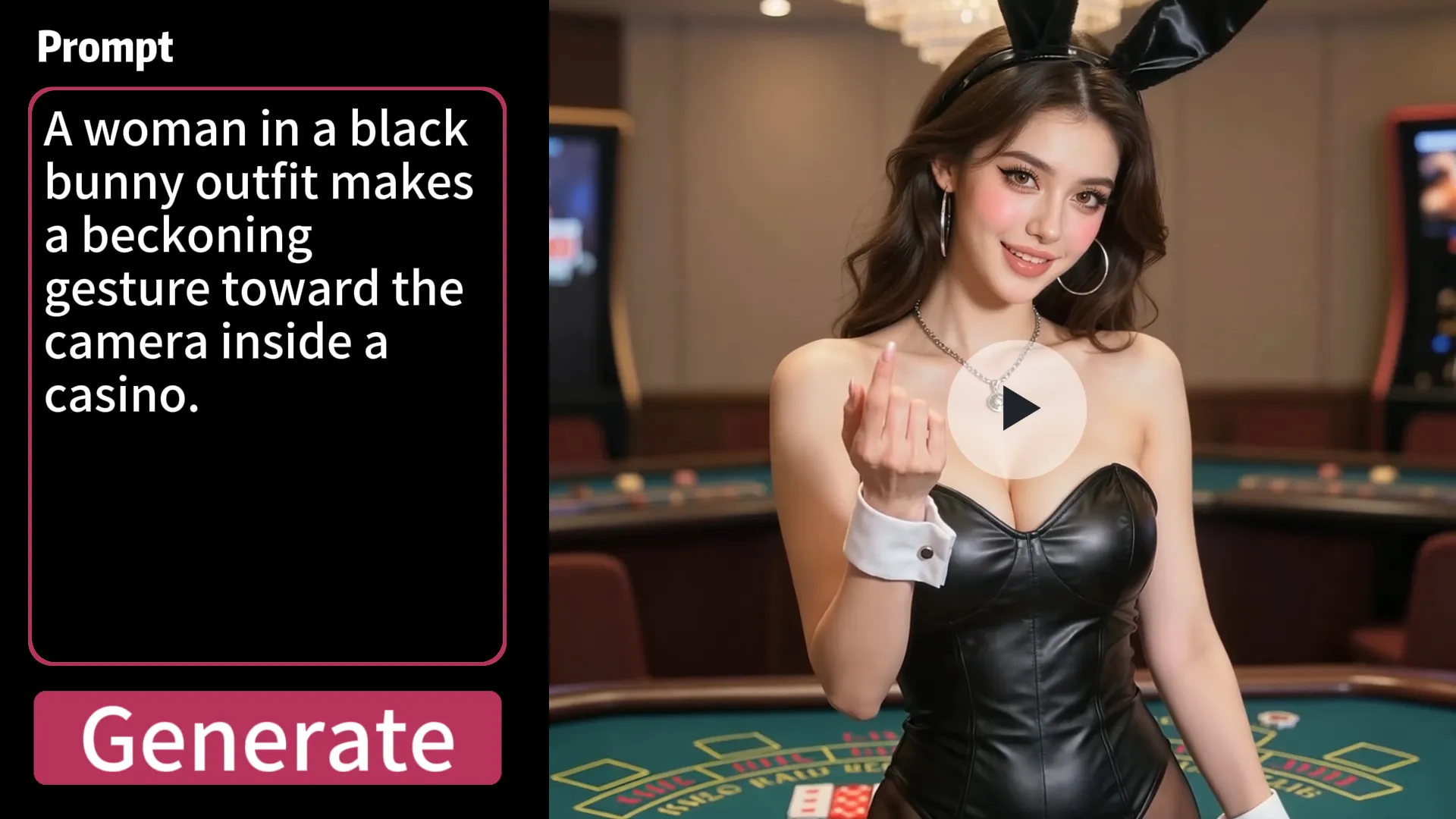
Image-to-Video
Image-to-video starts with a single image and adds motion. Example: Input: A portrait photo Output: The person smiles, moves naturally, and the camera zooms in. It works well for:
Photo animation
Social media content
Simple motion effects
However, one image may not provide enough information about identity, style, or movement.
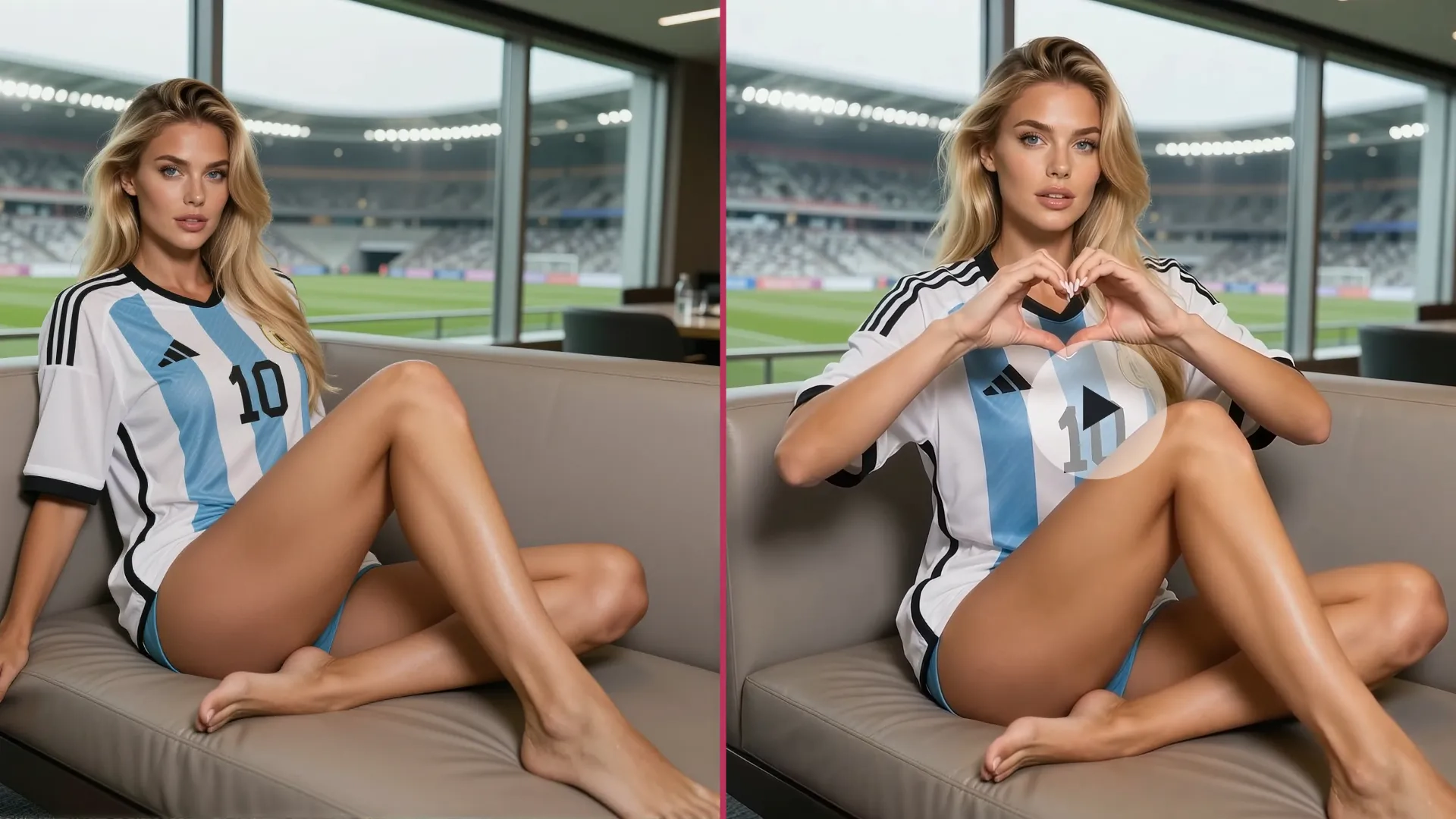
Reference to Video
Reference to Video provides multiple visual inputs. Users can upload:
Multiple images
Short videos
Character references
Product references
Scene references
This allows AI to understand more context and create more consistent videos.
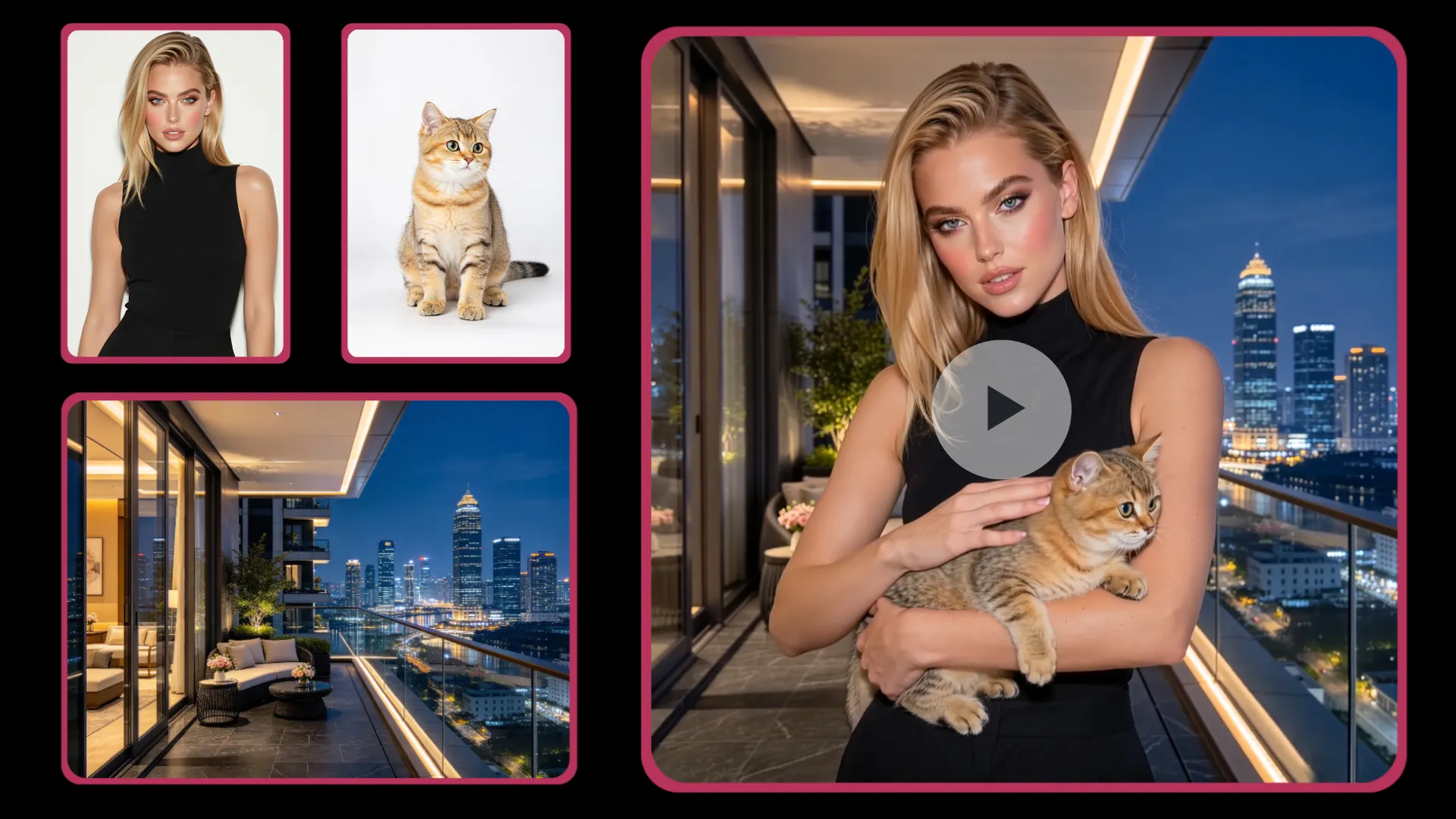
What Can You Use as References?
Reference to Video supports different types of visual inputs.
Image References
Check the current upload panel for supported image counts. Images can be used for:
1.Character Creation
Character references help maintain identity consistency. Recommended references include:
Front view
Side view
Full-body view
Different expressions
Clothing details
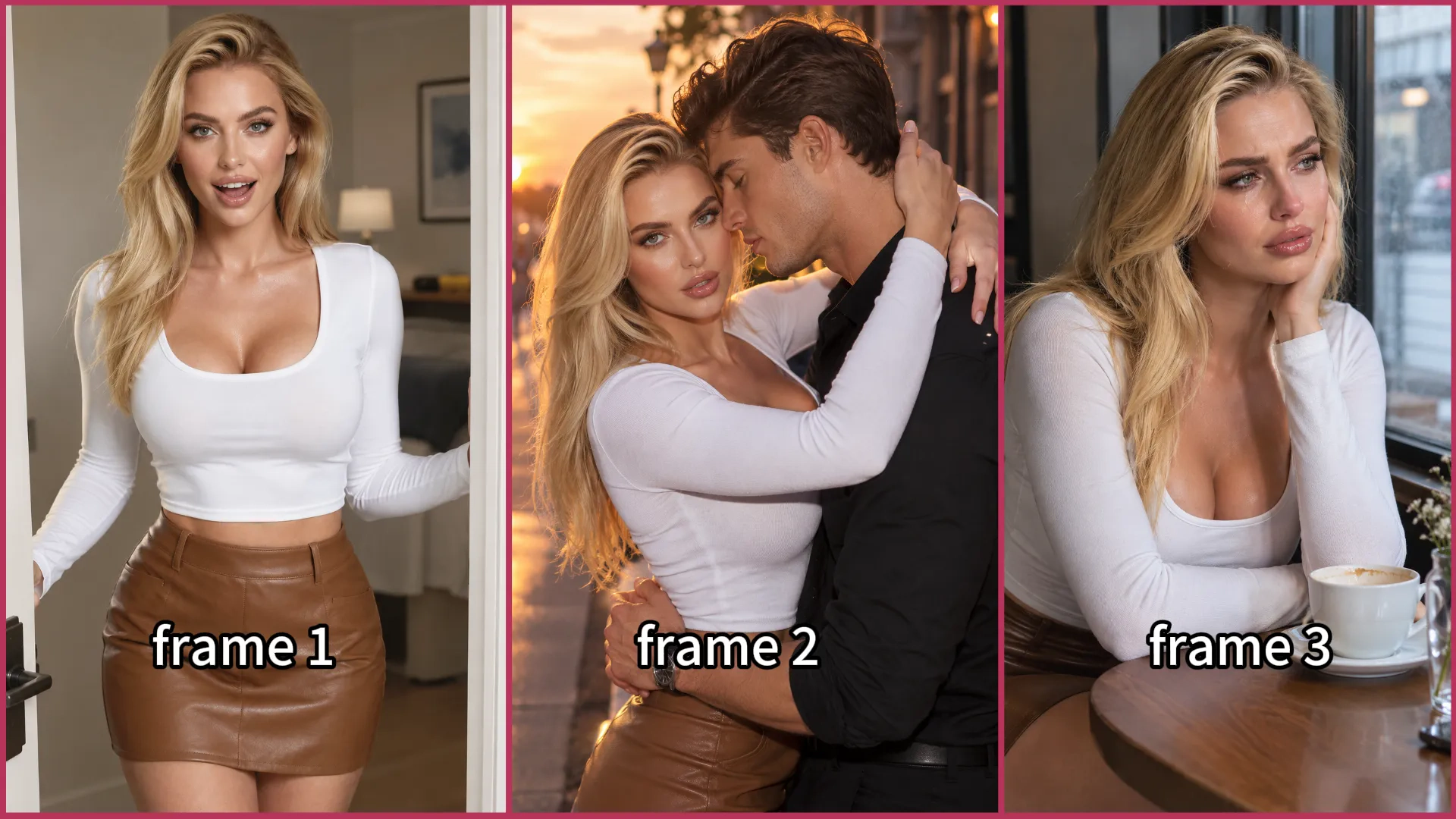
More complete references help AI better understand the character. Common use cases:
AI storytelling
Virtual characters
Short films
Social media creators
2.Product Videos
Reference images are useful for creating professional product videos. Examples:
Product showcase videos
Advertising clips
E-commerce content
Upload:
Product images
Packaging images
Lifestyle images
Then describe the desired commercial scene. Example: "Create a premium product commercial with the bottle rotating on a glass surface under studio lighting."
3.Environment and Scene Design
Reference images can define:
Locations
Interior design
Architecture
Atmosphere
For example: Upload: A luxury hotel lobby image. Generate: "A cinematic scene of a character entering the hotel lobby."
Video References
Check the current upload panel for supported video counts and input duration. Video references provide additional information that images cannot provide. They help AI understand:
Motion patterns
Human actions
Camera movement
Timing
Animation style
For example: A short reference video showing someone walking can help guide:
Walking rhythm
Body movement
Camera tracking style
How to Create a Reference to Video
Creating an AI video with references is simple.
Step 1: Prepare Your Reference Materials
Good references should be:
Clear
High-quality images and videos provide better visual information.
Consistent
Use references that represent the same character, object, or style.
Relevant
Only upload materials that help explain your creative idea.
Avoid:
Low-resolution images
Heavy filters
Conflicting character designs
Unrelated references
Step 2: Upload Your Images and Videos
Upload your reference materials and provide the visual information you want the AI model to follow. You can upload:
Supported image references
Supported video references
Files that meet the current upload panel's format and duration requirements
The AI analyzes these references to understand important visual elements before generating the final video, including character identity, object details, scene structure, and motion information.
Step 3: Write a Detailed Prompt
A well-structured prompt helps the AI understand your creative intention more accurately. A good Reference to Video prompt usually includes five key elements:
1. Subject
Who or what appears? Example: "A young woman wearing an elegant black dress."
2. Action
What happens? Example: "She walks slowly toward the camera and smiles."
3. Environment
Where does it happen? Example: "In a modern luxury apartment."
4. Camera Movement
How should the camera move? Example: "Slow cinematic dolly-in shot."
5. Visual Style
What is the overall look? Example: "Realistic movie style with soft cinematic lighting."
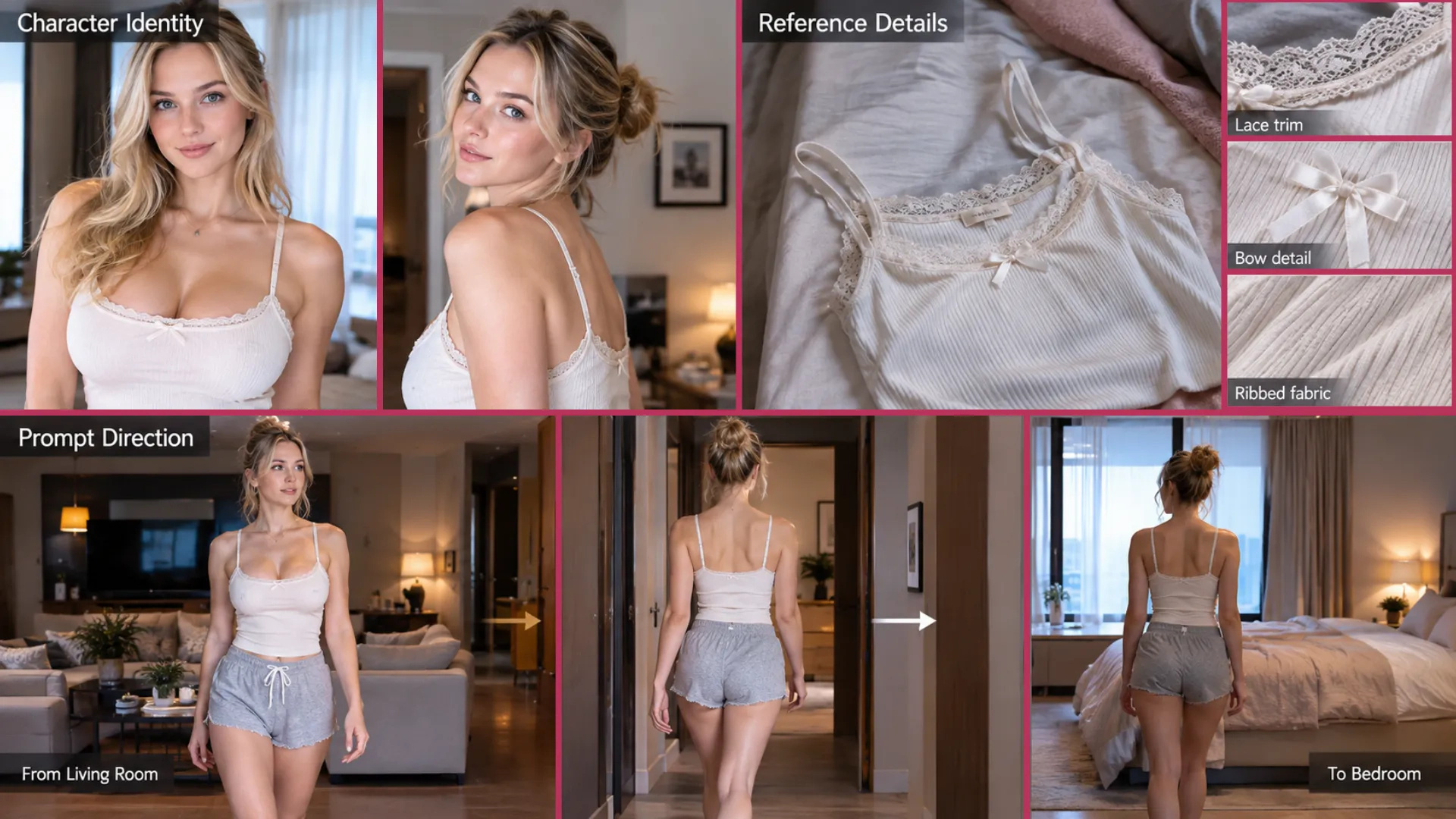
Reference to Video Prompt Example
A complete prompt: Using the reference character and living room, create a sensual 10-second cinematic scene. The adult woman walks into the bedroom, where an adult man gently pulls her close and kisses her passionately. The camera follows them smoothly from the living room into the bedroom. Warm, intimate lighting, realistic movement, cinematic atmosphere.
Reference to Video: Supported Formats and Limits
| Capability | Limit |
|---|---|
| Image References | Check the current upload panel |
| Video References | Check the current upload panel |
| Maximum Reference Video Length | Check current input requirements |
| Maximum Generated Video Length | Check current generation settings |
| Output Resolution | Check current generation settings |
Best Practices for Better Reference to Video Results
Getting better results with Reference to Video starts with choosing the right references and giving the model clear instructions. You don't always need multiple images or perfectly matching references. The best setup depends on what you want to control in the generated video.
1. Choose References Based on Your Goal
Start with the visual elements you want to preserve or control.
If your goal is to maintain a character's identity, a single clear character image may be enough. You can also provide multiple images of the same person from different angles to give the model more visual information about their appearance.
These images do not have to show the same outfit. Different clothing, hairstyles, or poses can still be useful when the main goal is to represent the same person's identity.
For product-focused videos, prioritize clear images of the product and its important details. For scene-focused videos, choose references that show the environment, composition, or atmosphere you want to reproduce.
2. Use Clear, Relevant References
Choose images and videos that clearly show the details you want the model to understand.
For character references, make sure the face and other important features are visible. For products, avoid images where key details are hidden by shadows, reflections, or obstructions. For motion references, choose footage in which the subject and movement are easy to follow.
You don't need to upload the maximum number of references. A few relevant, high-quality inputs can be more useful than many unrelated ones.
3. Decide Which Details Should Stay Consistent
Think about what should remain the same and what is allowed to change.
If you want to preserve a character's identity while changing outfits or environments, use references that clearly establish the character and describe the intended changes in your prompt.
If you want to reproduce a specific outfit or product design, include references that show those details clearly. If your goal is to maintain a particular scene or visual style, prioritize references that represent that environment or style.
The key is not to make every reference identical, but to make sure the references support your intended result.
4. Describe Actions and Changes Clearly
Use your prompt to explain what should happen in the video, especially when the scene or action differs from the reference materials.
For example, describe how the character moves, where the action takes place, and how the camera should behave. If the character should walk from a living room into a bedroom, state that transition clearly rather than only describing the final scene.
Keep your instructions aligned with the references. When you want to change something, such as the outfit, background, or action, make that intention explicit.
Start Creating with Reference to Video
AI video generation is moving from simple text prompts toward more controllable creative workflows. Reference to Video gives creators the ability to guide AI with real visual examples, making it easier to generate consistent characters, products, environments, and cinematic scenes. Instead of starting from a blank canvas, bring your ideas, references, and imagination together. Create your next AI video with Reference to Video.